iDrive screens and head units

BMW Navigation Screen Repair in Dubai

Black screen, cracked display or an iDrive that keeps restarting? Our independent Al Quoz workshop checks power, the display and its video connection, the head unit and software as the symptoms warrant. Once we identify the fault, we quote the repair or a compatible replacement and explain any setup it needs.

ScreenCracks, lines, backlightHead unitReboots, no sound, no mapsSoftwareFreezes and updates

Price and approval

BMW iDrive screen repair cost in Dubai

The fitted price depends on the display, head unit, fault and parts option. Get the fault identified before buying a replacement screen.

Published diagnostic scan priceAED 150

A scan is a starting point, not a screen repair price. Confirm the assessment scope when booking. Removal, wiring checks and bench testing may require a separate estimate.

What changes your repair quote

  • Screen repair — the failed connection, backlight or display component and whether it is serviceable
  • Display replacement — correct part number, size, resolution, touch capability and parts condition
  • Head unit work — repairability, compatible hardware, software and any required activation
  • Additional work — wiring, controller, camera or power faults identified during testing

Request a written fitted total showing diagnosis, parts, removal and installation, any coding or programming, final testing. Additional work needs your approval. Repair and replacement prices are confirmed for your vehicle after assessment.

Three parts, one system

How the BMW iDrive System Works

What you see on the dashboard is only one part of the system. Most navigation screen faults come from one of three places, and each one is repaired in a different way.

The screenCentral information display

The central information display, or CID, shows the picture. Depending on specification it includes a touch layer, display panel, backlighting and connections. A display fault can occur while audio still works.

The head unitThe computer behind the dash

The infotainment computer, with its location depending on the model. It processes navigation, media and connected functions. Power, communication, software or internal faults can interrupt its output.

The controllerRotary knob and buttons

The iDrive knob in the centre console, plus the menu buttons. A worn or sticky controller can make the whole system feel broken even when the screen and head unit work.

This is why a black screen does not always mean a new screen. If the head unit has stopped sending a picture, a new display will stay black too. Testing the three parts separately is the first thing we do, and it often saves owners from buying the wrong part.

The controller deserves a mention of its own. A knob that turns without moving the menu, skips steps or will not press down is a common fault on older cars, and it is usually a much smaller job than a screen or head unit. If the screen works with touch but not with the knob, or the menu jumps on its own, the controller is the first thing we test.

Read the symptoms

Signs Your BMW Screen or Head Unit Is Failing

Describe what still works as well as what has stopped. These symptoms help choose the first checks; they do not identify a failed part on their own.

A rough guide is not a diagnosis. Some symptoms can come from more than one part, and a weak car battery can make a healthy system behave badly, so we confirm with testing before quoting.

Display checksSystem checksSupply checks
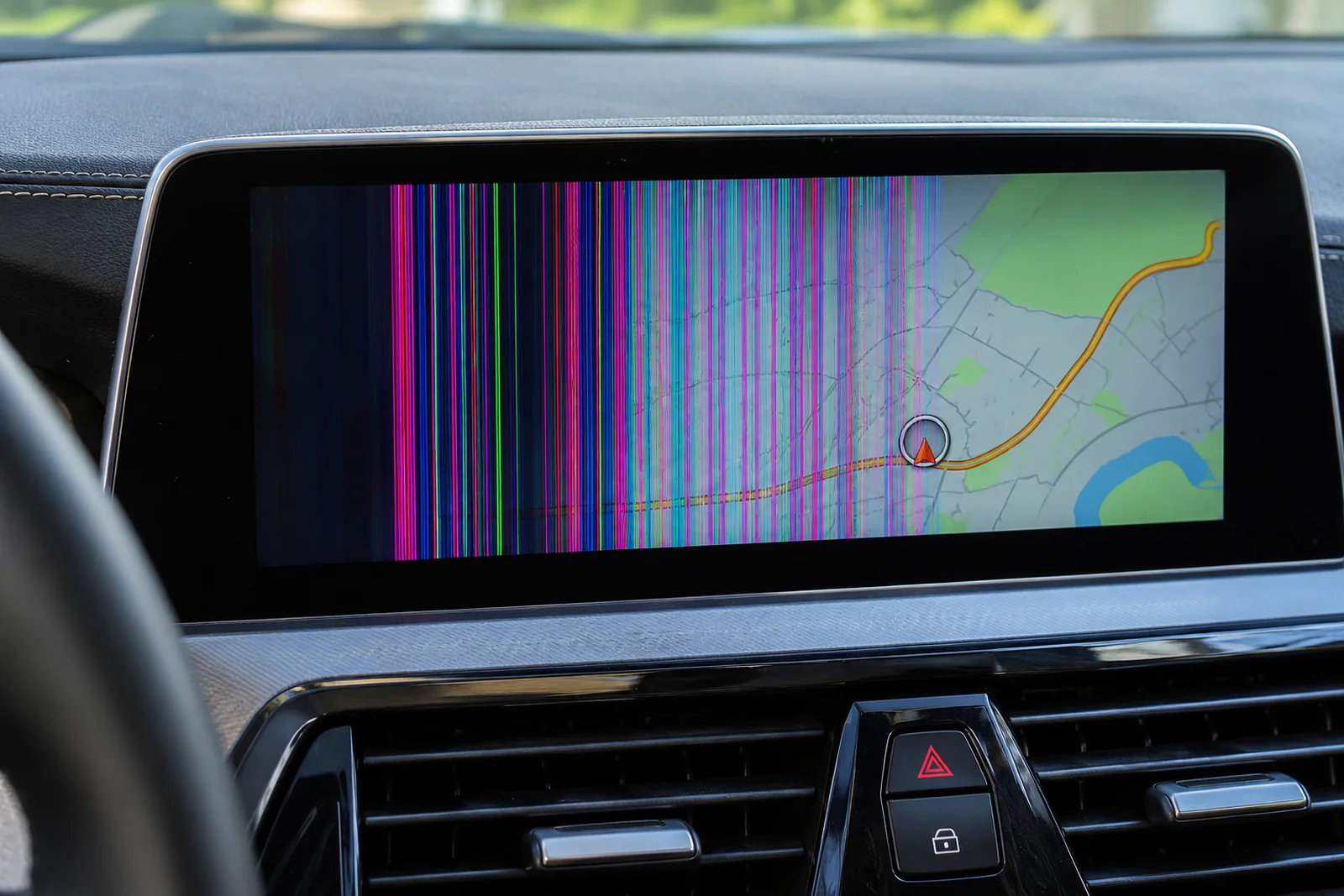
Lines or bars across the pictureColoured or black lines that do not move.Screen
Dim or dark pictureFaint image you can just see in shade.Screen backlight
Touch not workingThe knob works but touch does not.Screen
Cracked or bubbling glassImpact damage or layers lifting in the heat.Screen
Stuck on the BMW logoThe system starts, then restarts again and again.Head unit
No sound and no pictureCheck power, communication and the head unit before replacing the display.System diagnosis
Navigation missing or frozenMap will not load or the car position is wrong.Head unit or aerial
Screen fails after battery workCheck supply voltage, connections and recorded faults before considering software changes.Power and connection checks

By generation

Which iDrive Version Does Your BMW Have?

BMW has used several head unit generations. Parts and software are rarely shared between them, so the version decides what can be repaired, what can be swapped and what needs coding.

Roughly 2004 to 2009CCC

Early iDrive on many E chassis cars such as the E60 and E90. Known for slow menus, reboots and failing optical drives.

Roughly 2008 to 2013CIC

Faster unit with a hard drive for maps and music. Common faults include logo loops and screen failures.

Roughly 2012 to 2016NBT

Fitted to many F chassis cars, often with a larger screen. Faults include reboots, black screens and lost sound.

Roughly 2016 to 2019NBT Evo

Available in different configurations. Check the installed hardware and options rather than assuming every NBT Evo screen supports touch.

Roughly 2019 onwardMGU and later

Later infotainment systems vary by model and operating system. A curved display does not identify the exact hardware or prove that a software update will fix the fault.

These periods are approximate, not a parts-fitment guide. We check the VIN/build specification, installed part number and any previous retrofit. For an identified CCC unit, see BMW CCC repair.

BMW iDrive navigation screen with coloured lines across the display and the map partly hidden

When the display itself fails

BMW Screen Faults We Repair or Replace

Once we know the head unit is sending a picture, we test the screen on its own. Some screen faults are repaired by replacing a cable or connector. Others need a new or used display matched to your car.

On many models a matching screen can simply be fitted. On others, or when changing to a different size, the system needs coding so the car accepts it.

Backlight failureThe picture is there but too dark to see, often worse on hot days.

Ribbon cable or connectorLines, flicker or a picture that comes and goes over bumps.

Cracked glassImpact damage that breaks the picture or the touch layer.

Touch layer failureGhost touches, or touch that stops working while the picture stays.

Display connectionsPower and video connections are checked for damage, poor contact and compatibility.

Before you authorise work

Repair the original or fit a replacement

Compare the complete fitted scope, compatibility and cover, not just the price of a loose screen.

01

Repair the original

Suitable when the failed component can be serviced and the remaining unit is in usable condition. Ask what will be repaired and how the reported fault will be retested.

Damage to the panel, corrosion or unavailable components may make replacement more practical.

02

Matched used or refurbished

Consider this only after compatibility and condition checks. Ask whether the part is used as removed or refurbished, what testing it has had and what cover is available.

A matching connector or screen size does not establish compatibility. Confirm touch, resolution, interface and vehicle options.

03

New replacement

Confirm the exact supplied part, its manufacturer, availability and the fitted total. A new display and a new head unit are different purchases.

Ask whether configuration, feature activation and post-installation checks are included where required.

Timing and availability

Assessment, removal, bench work and parts sourcing can take different amounts of time. An intermittent fault may need repeat testing. Request the expected completion date after the fault and parts route are confirmed.

Warranty and your data

Ask for the applicable parts and labour cover, exclusions and claim process in writing before approval. Coverage can differ by repair and part condition. Before a reset, programming or head-unit replacement, ask which saved destinations, phone pairings, profiles and settings can be retained. Some data may need to be set up again, and a failed unit may be unreadable.

Behind the dashboard

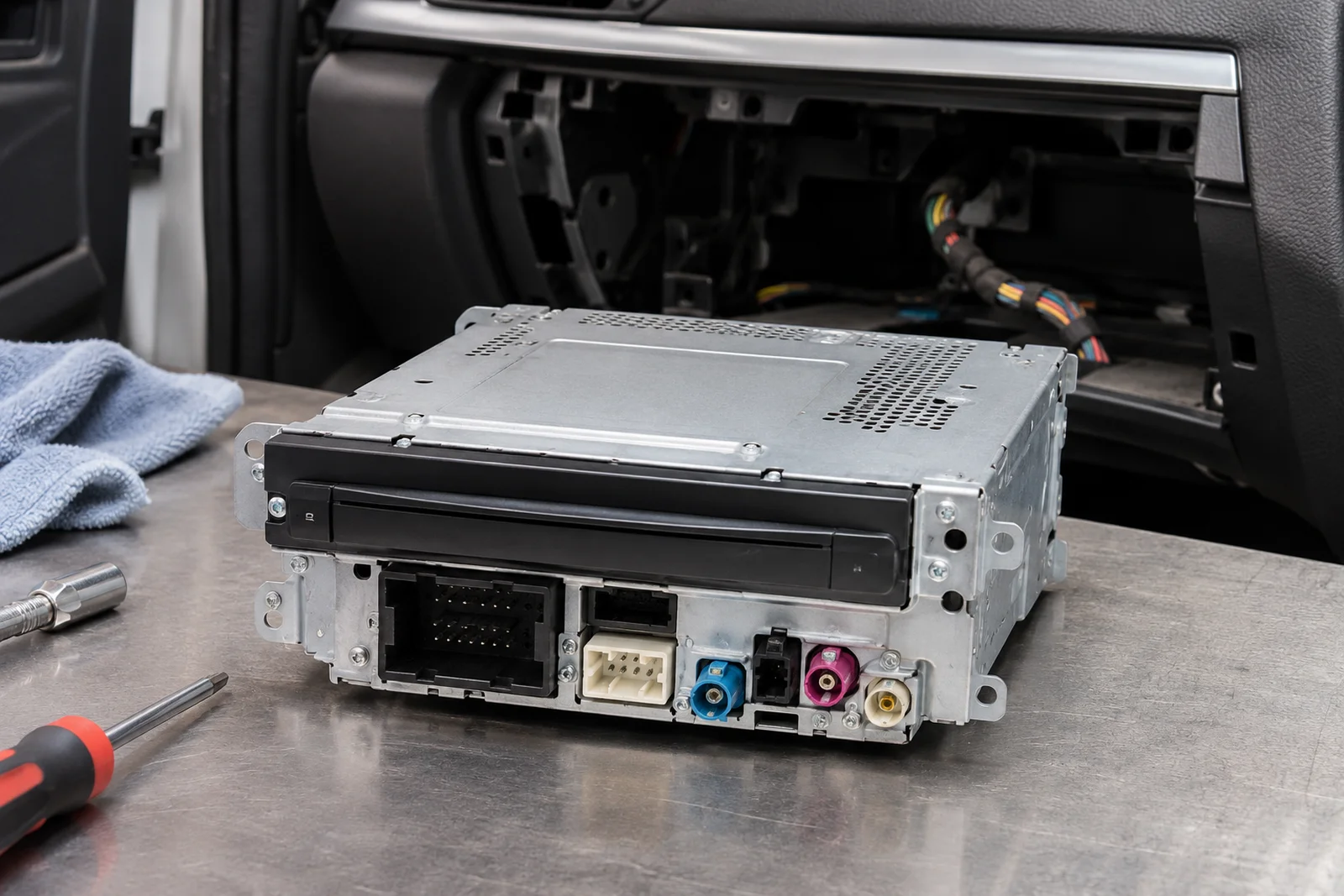
Head Unit Problems and Logo Loops

Repeated logo restarts or loss of several infotainment functions call for system testing. The head unit has storage, power circuitry and software, but supply or communication faults can create similar symptoms.

We first rule out low voltage and network faults, because both can stop a healthy unit from starting. If testing confirms a head-unit fault, we compare repair with a matched replacement and check whether the unit can be configured for the car before ordering.

A replacement head unit must suit the vehicle equipment, hardware and software. We check the part number, regional requirements and any VIN-related activation or FSC entitlement where applicable. Coding alone cannot make every used unit compatible.

Logo loopSoftware or storage may be involved. Check supply and communication first.
Hard drive faultsOn older units, maps and stored music can be lost.
Power faultsThe unit draws power but never starts.
Lost GPS positionAerial or wiring faults move the car on the map.
No camera pictureOn many cars the camera feed runs through the head unit.
Phone and mediaBluetooth and USB faults that point to the unit.
Removed BMW infotainment head unit with connectors visible on a workshop bench

Software and maps

Choose the right update for the fault

Map data and GPS

Missing roads can mean outdated map data. An incorrect vehicle position can instead involve GPS reception, the aerial or its connections. The symptoms need separating.

The update method depends on the navigation system, region and service eligibility. USB, supported online updates and older system-specific media are not interchangeable.

Programming and coding

Programming installs software; coding configures supported functions for the vehicle. Neither repairs cracked glass or a damaged display panel.

Any proposed software work should suit the fitted hardware and vehicle software level, with a stable power supply and checks afterwards.

After battery work

Report when the fault started and any jump start, battery replacement or retrofit. Power, connections and fault memory are checked first.

A stored fault does not automatically mean the unit needs coding. We explain any additional procedure before it is authorised.

Related screen work

CarPlay, Cameras and Screen Upgrades

Owners often ask about adding features while the screen is out. Some upgrades are simple on one generation and not possible on another, so we check your exact head unit before advising.

Apple CarPlayActivation or a retrofit, depending on your head unit and software.Explore CarPlay options Reversing cameraCameras that show a black or frozen picture on the screen.Read the camera guide Camera faultsSurround view and camera error messages.Camera diagnosis and repair
Larger screenA larger display must match the head unit, resolution and connection. Confirm whether setup is needed and which touch or camera functions will work.Ask us for your model

An upgrade that does not match the head unit can cause new faults, so we only recommend changes that suit the software and hardware already in your car.

Intermittent faults

Does the screen fail after hot parking

Tell us whether the fault appears on a cold start, after the cabin heats up, over bumps or only when a phone connects. The pattern helps reproduce the problem; heat alone does not prove which part has failed.

Reduce direct sunlightUse suitable shaded parking or a sunshade while parked.
Note when it recoversDoes normal cabin cooling change the symptom?
Protect the surfaceFollow the vehicle instructions for cleaning; avoid spraying liquid into gaps.
Record safelySend existing footage or take a photo while safely parked.
BMW dashboard with the navigation screen in bright Dubai sunlight through the windscreen

How we work

Our iDrive Repair Process in Al Quoz

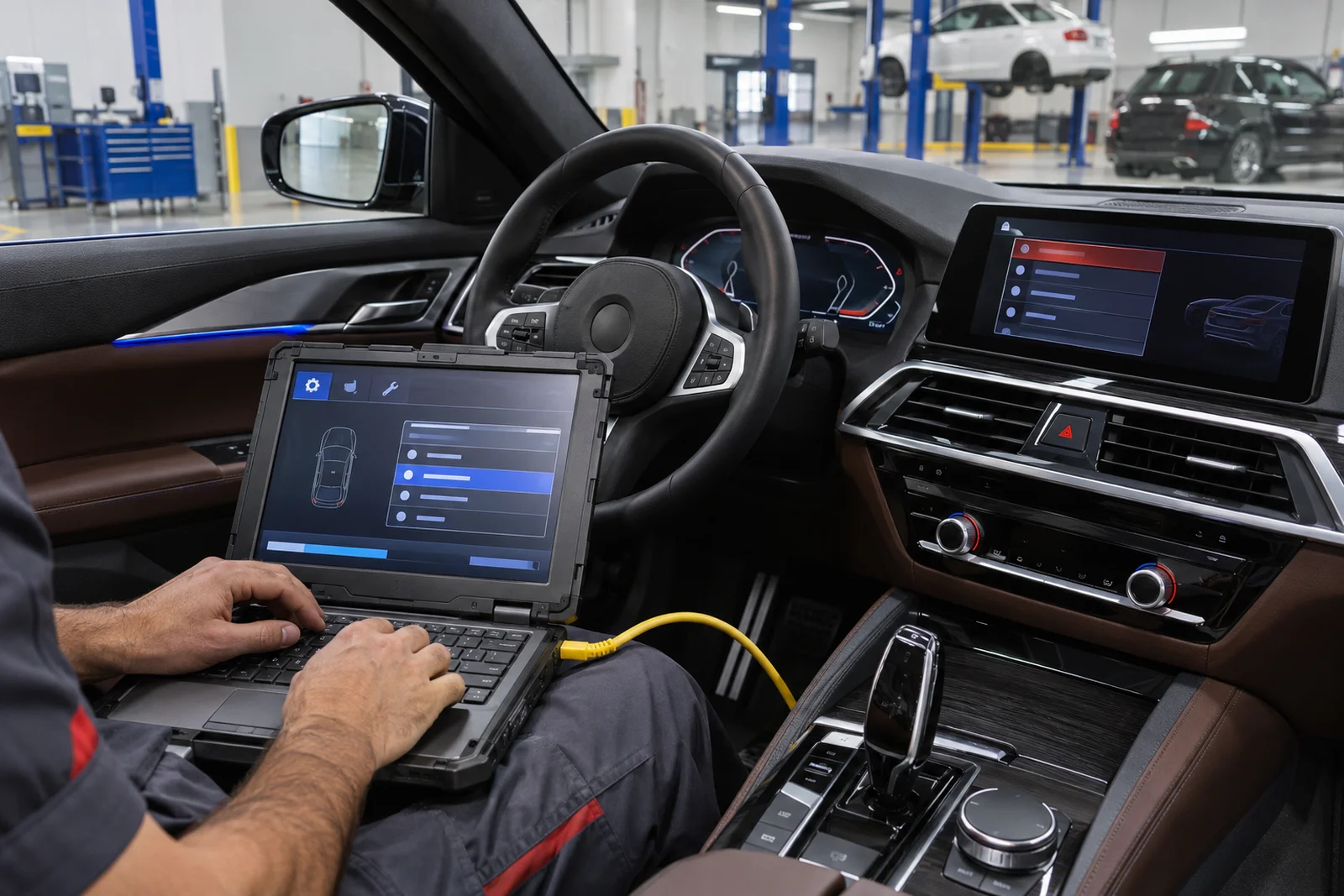
Agree the diagnostic scope first. The findings determine whether the display, head unit, wiring or another fitted component needs attention.

01Free pickupWe collect your BMW in Dubai, or you bring it to our Al Quoz workshop.
02Scan and check supplyRecord relevant faults and check battery voltage, fuses and grounds as indicated.
03Isolate the faultCheck whether audio or controls still respond, then test the video path, head-unit communication or software as indicated.
04Review the quoteReview the findings, part condition, labour, setup, VAT and fitted total before authorising the repair.
05Repair and codeWe complete the approved repair, with coding or programming only where required.
06Test everythingWe check applicable fitted functions, including navigation, sound, phone, camera, controller and touch.
Technician with a diagnostic laptop connected to a BMW while the iDrive screen shows a test menu

Different dashboard faults need different work. A speedometer or gauge issue belongs to instrument cluster diagnosis; a confirmed supply fault may need battery work. The findings determine the next step.

Questions before booking

BMW navigation screen repair questions

01How much does BMW navigation screen repair cost?

The published diagnostic scan price is AED 150. Repair or replacement is quoted after identifying the fault and compatible parts. Confirm whether further diagnosis, removal, fitting, coding and testing are included; the scan price is not the repair total.

02Can the original screen be repaired?

Some connection, backlight and serviceable component faults can be repaired. A damaged panel or touch assembly may need replacement. Inspection establishes the available options.

03Why is the screen black when the radio still works?

The display, its power or video connection may need checking. Working audio is useful diagnostic information, but does not prove the display itself has failed.

04Why does iDrive keep restarting on the logo?

Possible causes include power, communication, software or internal head-unit faults. We assess the system before recommending a screen or head-unit replacement.

05Does a replacement screen need coding?

A correctly matched like-for-like display may not need coding. Changes to hardware or configuration can require additional work. Confirm compatibility and the required procedure before buying.

06Can you fit a used screen or head unit?

A suitable used part can be considered after checking its condition and compatibility. Head units may have additional vehicle configuration and activation requirements. We do not assume that a part which plugs in will work correctly.

07How long will the repair take?

Timing depends on fault reproduction, access, bench repair, software work and parts availability. Ask for an estimate after assessment and confirm any collection arrangements.

08What warranty applies?

Request the specific parts and labour terms with your quote. Duration, exclusions and cover can differ between repairing your unit and installing a new, used or refurbished part.

09Will settings or saved destinations be lost?

Display-only work does not normally require resetting the head unit, but resets, software work or head-unit replacement may affect stored information. Discuss data and settings before approval; recovery is not guaranteed.

10Can a map update fix a black screen?

A map update changes navigation data; it does not repair a failed panel or power connection. The fitted system, region and service eligibility determine the correct update method.

11Can I drive with a failed iDrive screen?

It depends on which functions are affected. Do not operate or film the screen while driving. If essential vehicle information, visibility or controls are unavailable, stop safely and seek advice. Do not rely on a missing camera image when manoeuvring.

12Do you offer pickup in Dubai?

The workshop offers free Dubai pickup. Contact us to confirm your location and collection arrangements. The workshop is at 39 Al Quoz 4, open Monday to Saturday, 9am to 7pm.

Book a screen check

Your Map Back on a Clear Screen

Send your model, year, symptom and whether sound, the controller and cameras still work. Mention recent battery work or an aftermarket retrofit. Share an existing photo/video, or record only while safely parked. We confirm the assessment and quote before repair.

  • Free pickup in Dubai
  • Al Quoz workshop
  • Monday to Saturday, 9am to 7pm
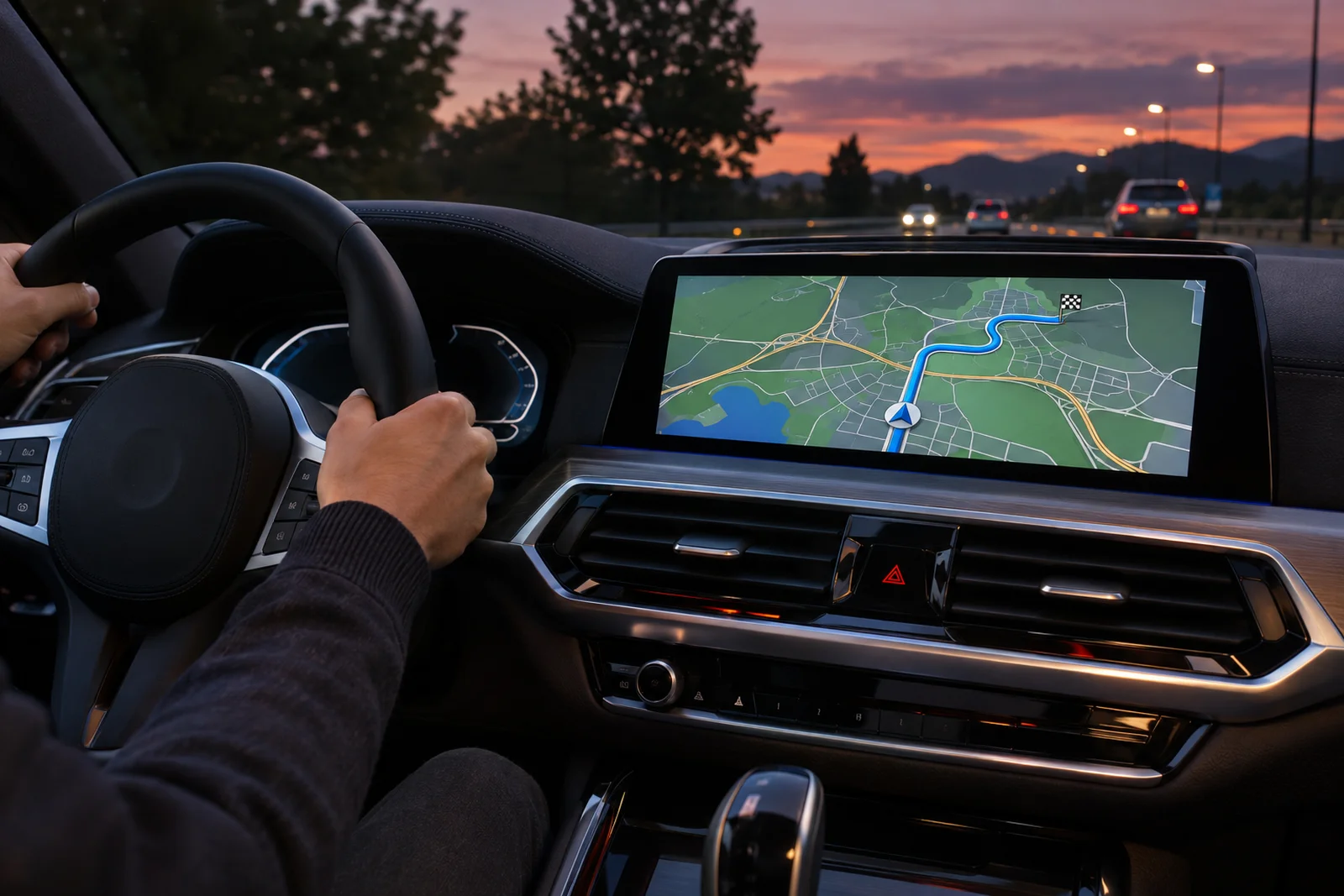
BMW iDrive navigation screen showing a clear map route at dusk
CallWhatsApp